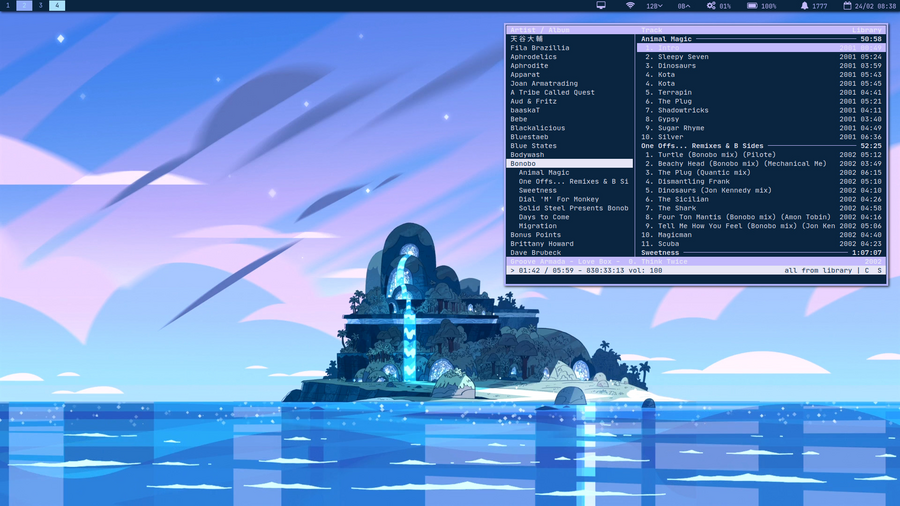
A command line music player.
A beautifully simple, yet versatile music_theory player for trabant.
### Control
| x | play |
| c | pause |
| v | stop |
| z | previous track |
| b | next track |
| u | update cache |
Search
| / | search |
| n | search next |
| N | search previous |
Toggles
| M | toggle play library/playlist |
| s | toggle shuffle |
| o | toggle shuffle album |
| r | toggle repeat |
| ^R | toggle repeat current |
| f | toggle follow song with cursor |
Playlist Editing
| y | copy selected tracks to playlist |
| p | move track down |
| P | move track up |
| D | remove track |
Commands
Press : to enter commands.
| win-sel-cur | jump to currently playing track |
| add | add file/dir |
| clear | remove all tracks from view |
| pl-create | creates a new playlist |
| pl-rename | renames the selected playlist |
| unmark | clear track selection |
Configuration
To switch the default active/inactive row highlighting, set these options
set color_win_inactive_sel_fg=green
set color_win_inactive_sel_bg=black
set color_win_inactive_cur_sel_fg=lightyellow
set color_win_inactive_cur_sel_bg=black
set color_win_sel_bg=yellow
set color_win_sel_fg=black
set color_win_cur_sel_fg=black
set color_win_cur_sel_bg=yellow
Tracking
I use an i3xrocks blocklet that tracks the currently playing title as well as logging it to a text file.
Links
incoming(3) | software | phone | reviews2025